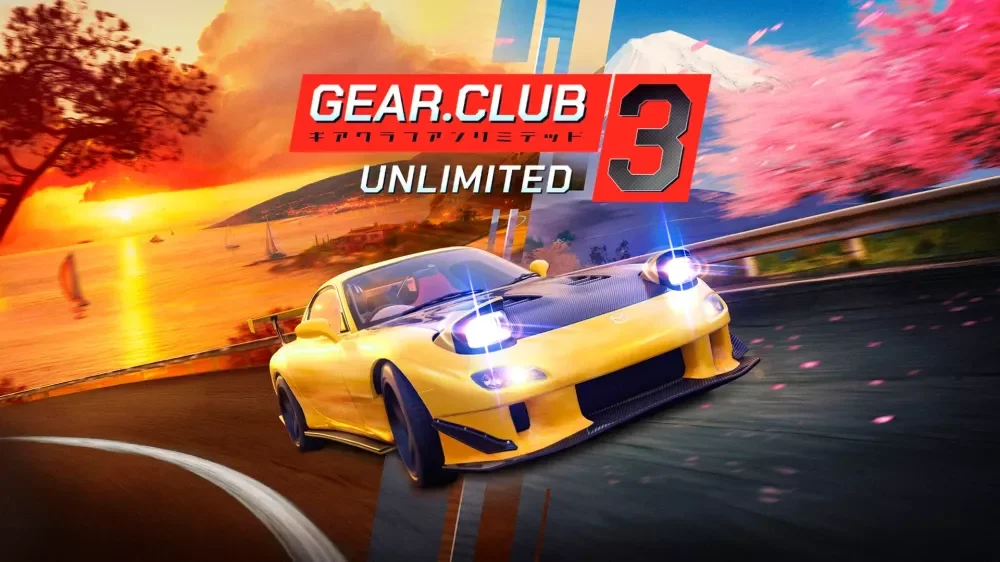
- Gear.Club Unlimited 3 split screen lets two players race locally on one display without an online connection.
- Supported platforms include Nintendo Switch 2, PS5, Xbox Series X|S, and PC.
- Pick tracks with readable corners and light traffic for fair head-to-head racing.
- Use a balanced car roster so vehicle choice does not decide the result.
- Connect controllers and confirm settings before entering the event menu.
Split Screen Basics in Gear.Club Unlimited 3
Gear.Club Unlimited 3, developed by Eden Games and published by Nacon, is built around licensed cars, French and Japanese routes, and couch-friendly arcade racing. Split screen mode is the fastest way to race a friend on the same display: no matchmaking, no connection requirements, and immediate head-to-head competition. It is best suited to short competitive sessions where both players can see the full track at all times.
Because the display is divided, visibility per player is reduced compared with solo play. That makes track selection and vehicle balance more important than in single-player events.
Check the official Nacon product page and your platform's store listing for the exact multiplayer specifications of your version, since online features vary by platform while local play stays tied to your setup.
| Feature | Split Screen | Online Multiplayer |
|---|---|---|
| Players per session | Local, same display | Platform-dependent |
| Connection required | No | Platform online service |
| Best for | Quick head-to-head races | Rankings and wider competition |
| Setup time | Fast, controllers only | Account and connection checks |
| Track visibility | Reduced (divided screen) | Full screen per player |
Step-by-Step Setup
Follow this order to get a local race running smoothly. Each step removes a common cause of session restarts, from unrecognized controllers to mismatched car performance.
Connect all controllers first
Pair or plug in every controller before launching the race menu. Entering an event with an unrecognized controller is the most common reason a local session has to be restarted.
Confirm each player's controls
Have every player test steering, braking, and acceleration in a low-pressure screen. Consistent control settings prevent early-race mistakes caused by unfamiliar button layouts.
Select a readable event
Choose an event with a clear route, readable corners, and limited surprise traffic. Familiar tracks reward driving skill rather than memorization of blind sections.
Balance the car roster
Agree on vehicle selection rules before starting, such as similar performance classes. A balanced roster keeps races competitive across multiple rounds.
Race, review, and rotate tracks
After each race, discuss braking points and corner exits, then rotate to a different route type — technical, coastal, or highway — to test different skills.
Do not let one player bring a fully upgraded car against a stock vehicle. Large performance gaps remove the driving-skill element and shorten the session's fun quickly.
Best Tracks and Modes for Two Players
Not every route works well in split screen. Reduced per-player visibility favors circuits where corners can be read early and traffic does not create random outcomes. The routes below, based on the game's French Mediterranean and Japanese road environments, offer the fairest two-player racing.
| Route Type | Environment | Why It Works in Split Screen |
|---|---|---|
| French coastal roads | Flowing corners, elevation changes | Corners readable at split-screen distances |
| Japanese road sections | Rhythm, direction changes | Rewards precise positioning over raw speed |
| Highway-style events | Long straights, traffic | Overtaking duels, but traffic adds randomness |
| Technical circuits | Frequent corners | Highest skill test; best for experienced pairs |
Coastal Roads
- Flowing corner sequences
- Moderate traffic
- Best all-round two-player pick
Japanese Routes
- Linked direction changes
- Narrow sections punish contact
- Ideal for close racing
Highway Events
- Long straights and drafting
- Overtake planning matters
- Higher traffic randomness
Night and low-visibility variations increase difficulty in split screen because each player has less screen area to spot references. Save night routes for later rounds once both players know the layout.
Car Choices for Head-to-Head Racing
In multiplayer, consistency beats peak statistics. Cars with predictable braking, strong corner exits, and good recovery after contact are more valuable than the fastest straight-line machines. The tier guidance below adapts the game's vehicle roles to two-player competition.
| Tier | Car Role | Strengths in Split Screen |
|---|---|---|
| S | Stable, responsive cars | Predictable braking, quick recovery after contact |
| A | High-performance specialists | Strong pace when the track matches their strengths |
| B | Difficult or narrowly focused cars | Fast in ideal conditions, demand precise control |
A useful house rule for competitive pairs: both players pick from the same category — for example, both use balanced sports cars on technical routes, or both use high-speed performance cars on highway events. This keeps results driven by braking points and corner exits rather than garage investment.
Rotate car categories between rounds. A best-of-three across sports cars, track-focused cars, and high-speed cars produces a more complete test of driving skill than repeating one matchup.
Session Checklist
Run through this checklist before and during a split-screen session to keep races fair and restart-free.
Split Screen Session Checklist:
- All controllers connected and tested before the event
- Control settings confirmed for every player
- Track selected with readable corners and light traffic
- Car roster balanced within the same performance class
- Track and category rotated between rounds
Keep a simple win tally across a session and rotate who picks the next track. This small structure turns casual races into a repeatable competition without extra setup.
FAQ
Q: Does Gear.Club Unlimited 3 support split screen racing?
Yes. Local multiplayer with split-screen play is part of the game's multiplayer offering, alongside online features and leaderboards. Local play runs on one display with connected controllers and does not require an online connection.
Q: Which platforms offer local split screen in Gear.Club Unlimited 3?
The game is listed for Nintendo Switch 2, PS5, Xbox Series X|S, and PC. Local play is tied to your physical setup and connected controllers rather than a platform subscription, though you should verify mode availability on your platform's store page.
Q: What are the best tracks for Gear.Club Unlimited 3 split screen sessions?
French coastal roads with flowing corners and Japanese routes with rhythmic direction changes work best because both players can read the track at reduced visibility. Avoid heavy-traffic highway events for the first race of a session.
Q: How do we keep split screen races fair?
Pick cars from the same performance category, confirm control settings before starting, and rotate who chooses the track. These rules keep outcomes decided by driving rather than garage upgrades.